How to Watch US Netflix From Abroad: The Complete 2026 Guide
Why the American library is different (and not always bigger), how region-locking actually works, and the exact steps to load your home catalog on every device — phone, browser, and TV.

vpnrank.io is reader-supported: we may earn a commission if you buy through links in this article. This never affects our rankings.
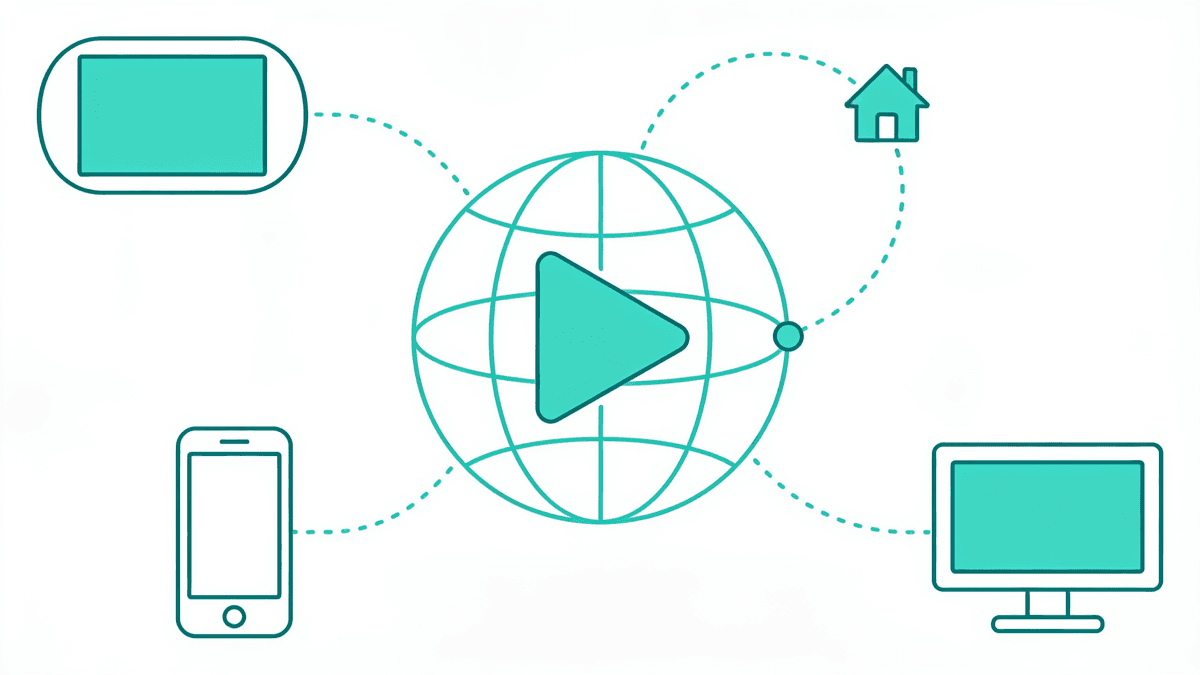
To watch US Netflix from abroad you connect through a VPN server located inside the United States, which makes Netflix serve you the American catalog instead of your local one. You still need a paid Netflix account; the VPN only changes which regional library loads. Below is the full picture — why the US library differs, and how to reach it on every device.
Why the US Netflix library is different from every other country
The single biggest misconception about American Netflix is that it is automatically the largest. It is not — and understanding why reveals exactly how Netflix works everywhere else. Netflix does not own most of what it streams; it licenses content country by country, and the United States happens to be the world's most contested licensing battlefield, which shapes its catalog in unusual ways.
Independent trackers estimate the US library at roughly 7,800–7,900 titles in 2026 — genuinely large, but smaller than several other regions. Iceland tops most counts near 9,700 titles, and by some methodologies the UK, Australia and Canada each edge past the US. Netflix does not publish official per-country figures, so all of these are third-party estimates with a margin of error of a few percent.
The streaming-wars effect
The reason the US catalog is not the biggest is the crowded American market itself. Disney, NBCUniversal (Peacock), Warner Bros. Discovery (HBO Max), Paramount and Apple all run their own platforms and either refuse to license their marquee content to Netflix or demand premium rates for it. So in the US, blockbuster back-catalogs get pulled home to rival services.
In markets with less-developed local streaming ecosystems, the same international rights holders license far more broadly to Netflix, because there is no in-house platform competing for those eyeballs. That is why a country a fraction of the size of the US can carry more total titles — it is not about audience size, it is about who else is bidding for the rights.
So why do people still travel for the US catalog?
Because 'biggest' and 'best for you' are different questions. The US library is where a huge share of Netflix Originals debut first and stay, where the newest American series land on release day, and where the specific licensed movies and shows you grew up with tend to live. If your account is American, or the show you want is US-exclusive, the American catalog is the one you actually need — regardless of raw title counts elsewhere. For a country-by-country breakdown of who has what, our editorial companion piece on changing your Netflix region with a VPN ranks the libraries worth switching to.
How Netflix geo-locking actually works
Netflix decides which library to show you the instant you connect, based almost entirely on your IP address — the numeric identifier your internet connection carries. Your IP maps to a country, and that country determines your catalog. Understanding this mechanism is the key to both reaching the US library and to fixing it when it breaks.
When you sit in, say, Berlin, your ISP hands you a German IP, and Netflix loads the German catalog. Route your traffic through a server in New York and Netflix now sees a US IP, so it serves the American library. That is the entire trick — you are not hacking anything, you are changing which regional front door you knock on.
How Netflix fights back
Netflix invests heavily in detecting when an IP does not belong to a genuine home broadband connection. Its methods are layered, and knowing them explains why some VPN servers work flawlessly while others trip the proxy error instantly:
- Datacenter IP detection. Most VPN servers live in commercial datacenters, and Netflix buys IP-intelligence feeds that map IP ranges to their owners. A datacenter IP is the easiest kind to flag, which is why the cheapest or free VPNs fail first.
- Blocklist databases. When hundreds of accounts all stream from a single IP simultaneously — a tell-tale VPN pattern — Netflix flags and blocklists that address. Popular servers burn out fastest.
- WHOIS and registration data. IP ranges registered to known VPN companies are automatically treated as high-risk.
- DNS and location mismatches. If your IP says New York but your DNS requests resolve through London, Netflix sees the contradiction and blocks you. This is where DNS leaks quietly sabotage otherwise-working setups.
- Behavioral signals. Rapid IP switching and other patterns that do not resemble a household connection can also raise a flag.
The practical takeaway: a VPN beats these checks not by being clever once, but by continuously rotating fresh IPs, running its own leak-proof DNS, and — increasingly — offering residential-grade IPs that look like ordinary home connections. That maintenance is the real product you pay for.
Choosing the right VPN and the right US server
Not all VPNs unblock Netflix, and among those that do, not every server works on any given day. The two decisions that matter most are which provider you trust to keep winning the cat-and-mouse game, and which specific US city you route through once you are connected. Get both right and buffering-free HD is realistic.
What actually matters in a Netflix VPN
- Reliable US unblocking, re-tested often. The block list changes weekly, so you want a provider that actively refreshes IPs rather than one that worked in a review two years ago.
- Speed and server density. 4K Netflix needs roughly 15+ Mbps of stable throughput. More US servers means less congestion and a better chance of landing on an unflagged IP.
- Built-in leak protection and a kill switch. DNS-leak protection and a kill switch stop the mismatches and drop-outs that trigger the proxy error mid-stream.
- Native apps for your devices. The more platforms with a real app — phone, laptop, Fire TV, Apple TV — the fewer awkward workarounds you need.
We keep a continuously re-checked shortlist rather than asking you to guess. Our best VPNs for Netflix page lists the providers currently beating the block with per-library notes, and the broader streaming VPN guide compares speed and unblocking across Disney+, HBO Max and Peacock too. If price is the deciding factor, the live VPN Price Index tracks what each service actually costs this month.
Picking the best US server
Once connected, server choice is a speed decision, not a content one — every US server loads the same American catalog. Choose the US city geographically closest to where you are physically sitting to minimize latency: from Europe, an East Coast server (New York, Ashburn) usually beats the West Coast; from Asia-Pacific, a West Coast server (Los Angeles, Seattle) is faster. If a server throws the proxy error, simply switch to another US city — that alone fixes it most of the time.
Step-by-step: loading US Netflix from anywhere
The core process is the same on every platform: install, connect to a US server, then open Netflix. The details differ by device, but the sequence below is the reliable spine. Do it in this order — the ordering matters, because Netflix caches your location and a stale session is a common reason people think their VPN failed.
- 1Sign up for a VPN with confirmed US Netflix support and install its app on the device you will watch on.
- 2Open the VPN app and connect to a US server before you open Netflix. Wait for the app to confirm the connection is fully established.
- 3Clear your browser cache and cookies (on a computer) or force-quit and reopen the Netflix app (on mobile/TV). This clears any cached 'you are in country X' signal.
- 4Open Netflix and look for US-exclusive rows — a US-only title confirms you are on the American library, not just a US IP that failed to switch catalogs.
- 5If you see the proxy error, switch to a different US server and refresh. Repeat once or twice if needed; there are usually many US locations to choose from.
That is the whole flow for a working setup. The section below covers the device-specific quirks, because a phone, a browser and a smart TV each hide a different gotcha.
Mobile vs browser vs TV: the device-specific gotchas
Where people get stuck is almost never the concept — it is that their particular device does not run VPN apps the way a laptop does. Each platform has one thing you need to know before you start, and matching the method to the hardware saves hours of frustration. Here is what changes across the three most common ways people watch.
Phones and tablets (iOS and Android)
This is the easiest case. Install the VPN app from the App Store or Play Store, connect to a US server, then fully close and reopen the Netflix app — do not just background it, because a warm session can keep serving your old region. On iOS, if the catalog will not switch, toggle Airplane mode on and off after connecting to force a clean network handshake. Mobile is also the best place to first confirm your VPN genuinely unblocks the US before you wrestle with a TV.
Web browser (laptop and desktop)
On a computer you have the most control and therefore the most ways to leak. Prefer the VPN's full desktop app over a browser extension — extensions only proxy HTTP/HTTPS traffic and leave you exposed to WebRTC and DNS leaks that Netflix specifically watches for. After connecting, do a hard refresh (Ctrl-F5 / Cmd-Shift-R) or clear cookies; a stale cookie is the number-one cause of a browser showing the wrong library while the app on the same connection works fine.
Smart TVs, streaming sticks and consoles
This is where it gets fiddly, because most TVs cannot run a VPN app. Your options depend on the hardware:
- Amazon Fire TV Stick (2nd gen and newer) and Apple TV (tvOS 17+) support native VPN apps directly from their app stores — install, log in, connect to a US server, done. This is the cleanest TV route.
- Roku, older Fire Sticks, most smart TVs, PlayStation and Xbox run no VPN app at all. For these you set the VPN up on your router so the whole network — including the TV — routes through a US server automatically.
- Router-level VPN means flashing compatible firmware (DD-WRT or AsusWRT-Merlin) or buying a pre-configured router, then entering your VPN credentials once. Every device behind it inherits the US connection.
- Smart DNS is a lighter alternative some providers bundle, but be cautious: it does not encrypt, it usually cannot pick a server, and through 2025–2026 Netflix has aggressively flagged Smart DNS traffic. Treat it as a fallback, not a first choice.
Fixing the m7111-5059 proxy error
The message reading 'You seem to be using an unblocker or proxy,' coded m7111-5059, is the single most common stumble — and it is almost never as serious as it looks. It is not a ban and it is not permanent. It simply means Netflix matched your current IP against its blocklist of known VPN and datacenter addresses. The fix is to present a different IP.
Work through these in order, from the fastest fix to the most thorough. In most cases you never get past step two:
- 1Switch to a different US server. The flagged IP is the whole problem; a fresh US city almost always clears it instantly.
- 2Refresh hard. Ctrl-F5 in a browser, or force-quit and reopen the app. This drops the cached response that keeps showing the error.
- 3Clear cookies and cache so no stale location token survives the server change.
- 4Turn on your VPN's DNS-leak protection and kill switch. A DNS or IPv6 leak is a classic cause of a proxy error even on a good server — your IP says US, your DNS says home.
- 5Disable IPv6 or use a VPN that tunnels it. An unhandled IPv6 connection routes around the tunnel and gives you away.
- 6Restart your router. If you see m7111-5059 with no VPN running at all, it is likely a shared ISP IP or an IPv6-over-IPv4 tunnel; a 30-second power-cycle usually resolves it.
We have a dedicated deep-dive that walks through every variant of this error — including the false positives that hit people who are not even using a VPN — in our guide to fixing the Netflix m7111-5059 proxy error. If you just want to check whether a given show is reachable from where you are before you commit to a setup, the Can I Watch finder tells you which library carries it.
Is watching US Netflix abroad legal?
This is the question that stops a lot of people, and the honest answer has two layers. Using a VPN to watch Netflix is legal in the vast majority of countries — VPNs are legitimate, everyday privacy tools, and accessing a different regional catalog of content you already pay for is nothing like piracy. But there is a separate contractual layer worth understanding.
Legality vs terms of service
Netflix's Terms of Use ask you to view content 'primarily within the country in which you have established your account.' Using a VPN to load another region's library technically bumps against that clause. That is a terms-of-service matter, not a criminal one — the two are entirely different things, and conflating them is where most of the fear comes from.
What actually happens in practice
In practice, Netflix does not ban accounts for VPN use. Its enforcement is to block the offending server's IP from loading geo-restricted content — you get the proxy error, not a terminated account. As of 2026, no Netflix subscriber is known to have faced legal action or a permanent ban for streaming through a VPN. Your account stays active; you simply switch servers and carry on.
Two caveats. First, a handful of countries restrict or ban VPNs outright — check local law before you travel. Second, a VPN never grants you a free subscription or manufactures rights that do not exist; it only lets your legitimate, paid account behave as it would back home. Those boundaries are worth keeping in view.
The traveler and expat use case
Most people searching for this are not trying to game the system — they are Americans abroad who want their own account to work like it does at home, or long-term expats who miss a specific US-exclusive show. This is the most sympathetic and most common scenario, and it changes what 'best setup' means for you specifically.
If you travel frequently, prioritize a VPN with fast connect times and a reliable mobile app, so reconnecting to a US server on hotel Wi-Fi is a two-tap habit rather than a chore. If you are settled abroad long-term, a router-level setup means your smart TV, console and every household device stay pointed at the US library permanently — no reconnecting, no per-device fiddling. Match the effort to how long you will need it.
One practical note for travelers: your home Netflix profile, watch history and language settings follow your account, not your location, so routing home restores the exact experience you left. That familiarity — not just raw catalog size — is often the real reason people go to the trouble.
Want the shortlist that skips the trial-and-error? Our team re-tests which VPNs reliably load the US Netflix library in HD, without the proxy error — with per-library notes and current pricing.
See our top-ranked VPNs →The bottom line
Watching US Netflix from abroad is straightforward once you understand the mechanism: your IP decides your library, a US VPN server changes your IP, and the m7111-5059 error is just a flagged address you clear by switching servers. The American catalog is not always the largest — the crowded US streaming market keeps it leaner than some rivals — but it is where the Originals debut and where an American account belongs.
Pick a VPN that actively maintains its US IPs, match the setup method to your device, keep DNS-leak protection on, and confirm you are on the right library by spotting a US-exclusive title. It is legal in most of the world, it will not get your account banned in practice, and once configured it fades into the background. For the tested picks and per-library detail, start with our best VPNs for Netflix guide, or see the full VPN rankings if you want one tool for streaming and privacy together.
Frequently asked questions
Does US Netflix really have the biggest library?
No — that is the most common myth. The US catalog is large at roughly 7,800–7,900 titles in 2026, but Iceland tops most trackers near 9,700, and the UK, Australia and Canada rival or edge past the US. The crowded American streaming market keeps blockbuster back-catalogs on rival services like Disney+ and HBO Max rather than Netflix.
Will using a VPN get my Netflix account banned?
In practice, no. Netflix blocks the VPN server's IP from loading geo-restricted content — you see the m7111-5059 proxy error, not a terminated account. As of 2026 no subscriber is known to have been permanently banned or faced legal action for VPN use. Your account stays active; you simply switch to a different US server and continue watching.
Why do I get the m7111-5059 error even on a working VPN?
It means Netflix matched your current server's IP against its blocklist of known VPN and datacenter addresses. Switch to a different US server, do a hard refresh, and clear cookies. If it persists, enable your VPN's DNS-leak protection and kill switch — a DNS or IPv6 leak can trigger the error even when your IP shows the US correctly.
Which US server should I connect to?
Every US server loads the same American catalog, so choose the one closest to where you physically are for the best speed. From Europe, an East Coast city like New York or Ashburn is usually fastest; from Asia-Pacific, a West Coast city like Los Angeles or Seattle. If a server throws the proxy error, just switch to another US city — that alone fixes it most of the time.
How do I watch US Netflix on a smart TV that has no VPN app?
Most TVs, Roku, older Fire Sticks and game consoles cannot run a VPN app. Set the VPN up on your router so the whole network routes through a US server automatically, using compatible firmware or a pre-configured router. Newer Fire TV Sticks and Apple TV (tvOS 17+) are the exceptions — they support native VPN apps directly from their app stores.
Is a browser extension good enough for Netflix?
It is risky. Browser-extension VPNs only proxy HTTP and HTTPS traffic and do not route UDP, so they cannot prevent WebRTC leaks and often leak DNS — both of which Netflix specifically watches for. Use the VPN's full desktop app instead, which routes all traffic through the tunnel and includes proper leak protection and a kill switch.
Do I still need a paid Netflix subscription?
Yes. A VPN only changes which regional library your account loads — it never provides a free subscription or unlocks rights that do not exist. You need a valid, paid Netflix account, and the VPN simply lets that legitimate account behave as it would in the US. When you route home, your profiles, watch history and language settings follow your account, not your location.
Is Smart DNS better than a VPN for US Netflix?
Usually not as a first choice. Smart DNS is lighter and works on some devices that block VPN apps, but it does not encrypt, typically cannot let you pick a server, and Netflix has aggressively flagged Smart DNS traffic through 2025–2026. It also fails on DNS/IP mismatches. A full VPN with US servers is more reliable; treat Smart DNS as a fallback for hardware that leaves you no other option.
The best VPNs of 2026, ranked
Now you know how — here are the VPNs we recommend, independently tested and ranked for speed, streaming, privacy and value. Any of them works for everything in this guide.

ExpressVPN Ultra fast & secure. Great for privacy, downloads, and everyday browsing on all your devices. 24/7 live chat support.
ExpressVPN Ultra fast & secure. Great for privacy, downloads, and everyday browsing on all your devices. 24/7 live chat support.

IPVanish Fast speeds with unlimited device connections. Strong no-logs privacy and 24/7 live chat support. Great for families.

IPVanish Fast speeds with unlimited device connections. Strong no-logs privacy and 24/7 live chat support. Great for families.
NordVPN Excellent speeds with one of the largest server networks. Strong security features and easy-to-use apps. 24/7 live chat support.
NordVPN Excellent speeds with one of the largest server networks. Strong security features and easy-to-use apps. 24/7 live chat support.
Proton VPN Swiss-based VPN with strong privacy focus. Audited no-logs policy and open-source apps. Great for privacy-conscious users.
Proton VPN Swiss-based VPN with strong privacy focus. Audited no-logs policy and open-source apps. Great for privacy-conscious users.

CyberGhost Fast speeds and strong privacy tools. Simple apps, automatic WiFi protection, and 24/7 live chat support.
CyberGhost Fast speeds and strong privacy tools. Simple apps, automatic WiFi protection, and 24/7 live chat support.

TotalVPN Affordable VPN with strong privacy and reliable speeds. Easy-to-use apps for all major devices. No-logs policy.
TotalVPN Affordable VPN with strong privacy and reliable speeds. Easy-to-use apps for all major devices. No-logs policy.

Private Internet Access High-speed VPN with a large server network and advanced security settings. Ad blocker included and 24/7 live chat support.
Private Internet Access High-speed VPN with a large server network and advanced security settings. Ad blocker included and 24/7 live chat support.

Surfshark Unlimited device connections at a budget-friendly price. Includes ad blocker and strong privacy tools. Great value for money.
Surfshark Unlimited device connections at a budget-friendly price. Includes ad blocker and strong privacy tools. Great value for money.
Rankings are based on our independent testing methodology. We evaluate speed, privacy, security features, and value for money. We may earn affiliate commissions from links on this page, which helps fund our testing — this does not influence our rankings.