How to Change Your Netflix Region With a VPN (and Actually Make It Stick)
A step-by-step walkthrough of switching libraries, the regions worth switching to, and how to clear the dreaded m7111-5059 proxy error for good.

vpnrank.io is reader-supported: we may earn a commission if you buy through links in this article. This never affects our rankings.
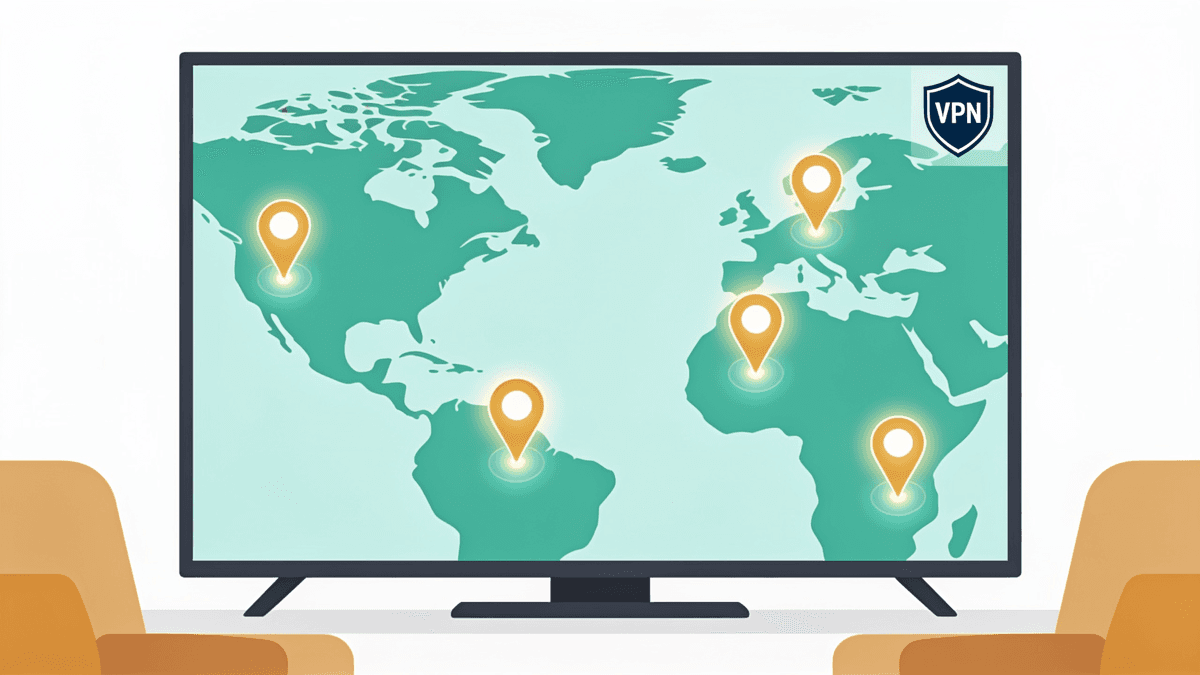
To change your Netflix region, install a VPN, connect to a server in the country whose library you want, clear your browser or app cache, then reopen Netflix. The catalog you see is tied to the IP address Netflix sees — change the IP cleanly and the library changes with it. Most failures come from leftover cached location data, not the VPN itself.
Why every country sees a different Netflix
Netflix is not one global catalog with a few regional gaps — it is dozens of separate libraries stitched together by licensing contracts. A studio can sell the streaming rights to a single film in the US, keep the UK rights with a local broadcaster, and hand Latin America to a different service entirely. That is why a show you watched on holiday vanishes the moment you fly home.
Three forces decide what lands in your country's library, and understanding them is the difference between region-hopping with a plan and clicking servers at random:
- Rights are sold country by country. The same title can belong to Netflix in one market and a rival platform in the next. Netflix cannot stream what it has not licensed for your region, full stop.
- Local taste drives local buying. Netflix loads up on anime and J-drama for Japan, K-drama for Korea, telenovelas for Latin America, and Turkish series for Turkey. Those catalogs are deep because the audience is there.
- Competition shrinks the catalog. The more entrenched the rival streamers in a market, the less Netflix tends to hold there — rights holders have somewhere else to sell.
This is also why library size is counterintuitive. The biggest catalogs are not in the US or UK but in smaller European and Central/Eastern European markets, where rights holders face less competition and license more freely to Netflix. The point of switching regions is rarely "more titles" in the abstract — it is one specific show that is licensed somewhere else.
How to change your Netflix region, step by step
The mechanics are genuinely simple — the order matters more than the tools. Netflix reads your location from the IP address your connection presents, so the whole job is to swap that IP cleanly and stop your device from quietly reporting your real location through cached data or DNS. Follow these in sequence.
- 1Connect the VPN before you open Netflix. Launch your VPN app, pick a server in the country whose library you want, and confirm it connects. Do not switch countries with Netflix already loaded — reconnect first, then open the app or site.
- 2Clear the cache and cookies. Netflix caches your previous location. In a browser, clear cookies and cache or open a private/incognito window. On a phone or TV, the equivalent is Settings, then Apps, then Netflix, then Clear Cache (or simply delete and reinstall the app).
- 3Restart the Netflix app or reload the page. A fresh launch forces Netflix to re-read your location from the new IP rather than the stale cached one. On smart TVs especially, a forced restart fixes what five server changes cannot.
- 4Browse, do not search. The fastest confirmation is to scroll the home rows — a region change shows up as different category rows and a different "Top 10". Searching a specific title can be misleading because some titles exist in multiple libraries.
- 5If you hit a proxy error, switch to a different server in the same country. Stay in one country for the session; do not bounce between regions. We cover the error in detail below.
App versus browser: which to use
The browser is the more forgiving environment for region-hopping. Television apps cling to stale region data far longer than browsers do, and dedicated streaming-device apps (Roku, Apple TV, smart-TV builds) often ignore a phone-level VPN entirely. If the desktop app stalls, a browser session — ideally with WebRTC leak protection enabled — frequently works where the app refused.
Which Netflix regions are worth switching to
"Best" depends on what you are chasing — raw catalog size, a specific genre, or one title. Library rankings also shift monthly as licenses expire and new content lands, so treat any single number as a snapshot rather than gospel. With that caveat, here is where the depth tends to sit in 2026.
- Central and Eastern Europe (Slovakia, Czechia, and neighbours) and Iceland consistently top the total-title counts, often well ahead of the US — a quirk of lighter local competition and EU content-quota rules that push European works into the catalog. Recent counts put Slovakia and Czechia around the top of the global list at roughly 8,000 titles each, against about 5,900 in the US.
- Japan is the destination for anime, J-drama, and serialised TV. Netflix Japan carries arguably the deepest anime catalog of any library, and subscribers there can often stream currently-airing series week-to-week, well before the same shows surface in other regions.
- United States remains strongest for breadth of Hollywood film and the widest slate of Netflix Originals, even though its raw title count trails the European leaders — it sits outside the global top ten by total titles.
- United Kingdom is a reliable middle ground — a large catalog, strong British and European drama, and frequent licensing of titles the US loses.
If your goal is one particular movie or series, do not guess. Check a region-tracking tool to see which countries currently carry it, then connect to the nearest one — the nearer the server, the better your speeds and the lower the chance of buffering. For a quick yes/no on a specific show before you commit, our Can I Watch tool tells you which library a title is in right now.
Fixing the Netflix proxy error (m7111-5059)
The error reading "You seem to be using an unblocker or proxy," usually coded m7111-5059, is the single most common stumble. It means Netflix matched your current IP against its database of known VPN and data-centre addresses. It is not a ban and it is not permanent — it is a flagged IP, and the fix is almost always to change which IP you present.
Netflix builds that blocklist from commercial IP-intelligence feeds, WHOIS and registration data, traffic-pattern analysis, and — added in early 2026 — BGP route-origin validation that flags data-centre IP blocks announcing routes inconsistent with their claimed country. The practical takeaway: data-centre IPs get caught easily, residential-style IPs much less so. Work through these in order.
- 1Switch to a different server in the same country. One flagged server does not mean the whole region is blocked. A fresh IP in the same country usually clears it instantly.
- 2Clear cache and cookies again, then reconnect. A location mismatch between a cached cookie and your new IP is enough to trigger the error. Wipe it and reload.
- 3Disconnect and reconnect the VPN. Toggling the connection often hands you a new IP without changing servers at all.
- 4Check for DNS leaks. If your IP says one country but your DNS requests reveal another, Netflix sees the mismatch and blocks you. Confirm your DNS is routed through the VPN and run a quick leak test — see our explainer on the DNS leak for how to check, and the WebRTC leak guide if you are using a browser.
- 5Restart your router. A genuine, VPN-free m7111-5059 can come from shared ISP IPs or stale routing. Power-cycle the router for 30 seconds and retry — this is the fix when the error appears even without a VPN running.
- 6Reinstall the app. On TVs and phones, deleting and reinstalling Netflix clears every scrap of stale location data when nothing else will.
Two 2026 limits worth knowing
There are two situations no amount of troubleshooting fixes, so check them first. Netflix's cheaper ad-supported plan does not stream over a VPN at all — region-switching requires a standard ad-free plan. And live events do not work with a VPN, regardless of plan or server. If you are on the ad tier or trying to stream a live broadcast, the VPN is not the problem and changing servers will not help.
Is changing your Netflix region against the rules?
Using a VPN to reach another region's library does breach Netflix's terms of service, because those terms tie your access to your registered country. But the consequence is mild and consistent: Netflix limits what you can watch, it does not punish you. Understanding the actual stakes keeps you from worrying about the wrong thing.
- Accounts are not banned for it. As of 2026, the documented penalty for a detected VPN is a proxy error or a trimmed catalog — not a suspended account, and no subscriber has faced legal action for it.
- It is not illegal. Accessing Netflix's own international catalogs is a world apart from pirating content; it carries no criminal or civil liability anywhere.
- The fallback is Netflix Originals. When Netflix detects a VPN and blocks a regional library, it does not go dark — it shows you the Originals it holds global rights to. Seeing only Originals is the tell-tale sign your VPN was flagged for that title.
In other words, the realistic worst case is a proxy error and a smaller selection until you switch servers — not a knock on your account.
Want a VPN that clears Netflix's proxy error first try and holds a stable stream in 4K? See our current top pick and why it wins for streaming.
See our top-ranked VPNs →How to keep region-switching working long term
The cat-and-mouse between Netflix and VPNs never stops — IP blocklists are refreshed constantly, so a server that worked last week can be flagged today. You do not need to fight that directly; you just need habits that route around it. A few small disciplines keep your streaming smooth across the year.
- Pick a provider that rotates IPs aggressively. The VPNs that stay reliable for Netflix are the ones constantly cycling fresh, residential-style addresses faster than Netflix can list them.
- Keep one country per session. Frequent country-hopping looks like VPN behaviour to Netflix's traffic analysis and invites the proxy error. Settle on a region and stay there while you watch.
- Choose the nearest server that has the content. Distance costs you speed. If three countries carry the same title, take the closest for the cleanest 4K stream.
- Restart the app, not just the VPN, after switching. The cached-location trap is the number-one cause of "it stopped working" — a fresh launch is the cheapest fix there is.
If you would rather skip the trial-and-error, our team maintains a tested, regularly re-checked shortlist of the providers that currently beat Netflix's blocks. Start with the best VPNs for Netflix for the picks and per-library notes, browse the wider streaming VPN guide if you also use Disney+, HBO Max, or Peacock, and see the full VPN rankings if you want one tool that does streaming and privacy together.
Frequently asked questions
Why does Netflix look different when I connect to another country?
Netflix licenses most of its catalog country by country, so each region is effectively a separate library. When you connect a VPN to another country, Netflix reads that country's IP address and serves you the titles licensed there. The home rows, categories, and Top 10 all change to match the new region's deal sheet.
What is the m7111-5059 error and how do I fix it?
It means Netflix matched your IP against its list of known VPN and data-centre addresses. It is not a ban. Fix it by switching to a different server in the same country, clearing your cache and cookies, reconnecting the VPN for a fresh IP, and confirming you have no DNS leak. Restarting your router clears the rare version that appears without a VPN.
Will Netflix ban my account for using a VPN?
No. As of 2026 there are no documented account bans or legal actions for using a VPN with Netflix. It does breach Netflix's terms of service, but the only real-world consequence is a proxy error or a limited catalog. When a region is blocked, Netflix simply shows you the Netflix Originals it holds global rights to instead of going dark.
Which Netflix region has the most titles?
In 2026 the largest catalogs sit in smaller European markets such as Slovakia, Czechia, and Iceland — often well ahead of the US — thanks to lighter local competition and EU content quotas. But rankings shift monthly as licenses expire, and "most titles" rarely matters as much as which region carries the specific show you want.
Why can I only see Netflix Originals when my VPN is on?
That is the tell-tale sign Netflix detected your VPN and blocked the regional library. Netflix owns global rights to its Originals, so it falls back to showing only those. Switch to a different server in your chosen country, clear your cache, and reload — once you present a clean, unflagged IP, the full regional catalog returns.
Does the Netflix app work the same as the browser for region changes?
Not quite. TV and streaming-device apps cling to cached location data much longer than browsers and sometimes ignore a phone-level VPN entirely. The browser is more forgiving for region-hopping. If the app stalls after a server switch, force-restart it or delete and reinstall it — or just use a browser session with leak protection enabled.
Can I change regions on the cheaper ad-supported plan?
No. As of 2026 Netflix's ad-supported plan does not stream over a VPN at all, so region-switching requires a standard ad-free plan. Live events also do not work with a VPN on any plan. If you are on the ad tier or trying to watch a live broadcast, no amount of server-switching will help — the plan, not the VPN, is the blocker.
The best VPNs of 2026, ranked
Now you know how — here are the VPNs we recommend, independently tested and ranked for speed, streaming, privacy and value. Any of them works for everything in this guide.

ExpressVPN Ultra fast & secure. Great for privacy, downloads, and everyday browsing on all your devices. 24/7 live chat support.
ExpressVPN Ultra fast & secure. Great for privacy, downloads, and everyday browsing on all your devices. 24/7 live chat support.

IPVanish Fast speeds with unlimited device connections. Strong no-logs privacy and 24/7 live chat support. Great for families.

IPVanish Fast speeds with unlimited device connections. Strong no-logs privacy and 24/7 live chat support. Great for families.

NordVPN Excellent speeds with one of the largest server networks. Strong security features and easy-to-use apps. 24/7 live chat support.
NordVPN Excellent speeds with one of the largest server networks. Strong security features and easy-to-use apps. 24/7 live chat support.
Proton VPN Swiss-based VPN with strong privacy focus. Audited no-logs policy and open-source apps. Great for privacy-conscious users.
Proton VPN Swiss-based VPN with strong privacy focus. Audited no-logs policy and open-source apps. Great for privacy-conscious users.

CyberGhost Fast speeds and strong privacy tools. Simple apps, automatic WiFi protection, and 24/7 live chat support.
CyberGhost Fast speeds and strong privacy tools. Simple apps, automatic WiFi protection, and 24/7 live chat support.

TotalVPN Affordable VPN with strong privacy and reliable speeds. Easy-to-use apps for all major devices. No-logs policy.
TotalVPN Affordable VPN with strong privacy and reliable speeds. Easy-to-use apps for all major devices. No-logs policy.

Private Internet Access High-speed VPN with a large server network and advanced security settings. Ad blocker included and 24/7 live chat support.
Private Internet Access High-speed VPN with a large server network and advanced security settings. Ad blocker included and 24/7 live chat support.

Surfshark Unlimited device connections at a budget-friendly price. Includes ad blocker and strong privacy tools. Great value for money.
Surfshark Unlimited device connections at a budget-friendly price. Includes ad blocker and strong privacy tools. Great value for money.
Rankings are based on our independent testing methodology. We evaluate speed, privacy, security features, and value for money. We may earn affiliate commissions from links on this page, which helps fund our testing — this does not influence our rankings.